Should You Run Managed or Self-Hosted Kubernetes?
For most US teams, managed wins. Amazon EKS, Google GKE, and Azure AKS run the control plane for you — the API server, scheduler, and etcd, along with their upgrades and high availability, become the cloud provider's problem. Self-hosting those components on your own VMs or bare metal means owning etcd backups, certificate rotation, version-skew rules, and 3 a.m. control-plane failures with no vendor SLA behind you.
The math matters too: running a highly available control plane properly takes real engineering time every month, while a managed control plane typically costs less per month than a single day of an engineer's time. Self-hosted still earns its keep in a few specific situations:
- Strict data-residency or air-gapped environments where a public cloud control plane is off the table
- Bare-metal workloads that need GPU, storage, or network tuning the cloud can't match
- Edge locations — factories, retail sites, ships — where clusters must run far from any cloud region
The trap is assuming "managed" means "done." Even on EKS or GKE, you still own worker-node patching, add-on lifecycle (CNI, CoreDNS, ingress, cert-manager), pod-level security, capacity planning, and upgrades that must not break running workloads. That operational layer is what our Kubernetes cluster management service covers: we run it against a 99.99% uptime SLA, and the payoff shows up as reclaimed engineering time — our published results include 200+ engineering hours saved monthly. Your engineers get to treat the cluster as a stable platform instead of a second job.
EKS vs GKE vs AKS: Which Managed Kubernetes Fits Your Stack?
All three major managed offerings are production-grade, so the decision rarely hinges on raw capability. It hinges on where your workloads, identity provider, and engineering muscle memory already live. Here is how they compare on the factors that actually change your operating costs:
| Factor | Amazon EKS | Google GKE | Azure AKS |
|---|
| Control plane | Managed, per-cluster hourly fee | Managed; Autopilot mode also runs and bills the nodes for you | Managed; free control-plane tier available |
| Upgrade experience | You initiate; staged node-group rollouts | Release channels automate most upgrades | You initiate; optional auto-upgrade channels |
| Autoscaling | Karpenter — fast, bin-packing-aware node provisioning | Most mature built-in node and pod autoscaling | Cluster autoscaler; strong KEDA support |
| Ecosystem pull | Deep IAM and AWS service integration | Strongest defaults, least day-2 tuning | Native Entra ID and Azure DevOps integration |
| Best fit | Teams already committed to AWS | Teams that want the most hands-off operations | Microsoft-centric enterprises |
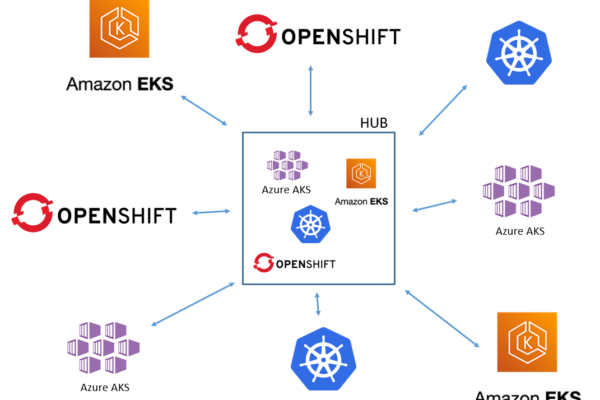
Our rule: choose the platform your identity and data already sit on, because cross-cloud friction costs more than any feature gap between the three. If you genuinely need more than one cloud, design for it deliberately rather than drifting into it — that is a multi-cloud strategy decision, not a cluster setting. And because all three run upstream Kubernetes, a well-built cluster keeps your workloads portable if the decision ever needs revisiting.
What Does Kubernetes Security Hardening Actually Involve?
A fresh cluster is permissive by default: flat pod networking, broad service-account tokens, and no admission control. One compromised container in that state can reach every workload beside it. Hardening is the disciplined removal of that default trust, and it follows a known checklist rather than guesswork:
- RBAC least privilege — roles scoped to namespaces, no shared cluster-admin, access tied to your identity provider
- Admission control — Pod Security Standards enforced so containers cannot run as root or mount the host filesystem
- Network segmentation — default-deny policies between namespaces, with explicit allows for the traffic your services actually need
- Secrets handling — encryption at rest plus an external store such as AWS Secrets Manager or Vault, never plain manifests in Git
- Supply chain controls — image scanning in CI, signed images, and registries you control
- Audit logging — API-server audit trails shipped off-cluster, where an attacker cannot erase them
We benchmark clusters against the CIS Kubernetes Benchmark and re-verify after every upgrade, under leadership holding the CKS (Certified Kubernetes Security Specialist) credential. Hardening the cluster is half the picture; wiring these controls into your pipelines so misconfigurations never reach production is the other half — that work is covered in our DevSecOps integration service.
How Do You Scale Kubernetes Without the Bill Scaling Faster?
Kubernetes gives you three autoscaling layers, and cost problems usually come from using only one. The Horizontal Pod Autoscaler adds replicas as load rises; a node autoscaler such as Karpenter or Cluster Autoscaler adds machines when pods cannot schedule; and right-sizing — VPA or recommendation tooling — fixes the resource requests everything else depends on. Get the third layer wrong and the first two simply scale your waste.
In cluster audits, the pattern we find most often is memory requests set several times higher than actual usage: an engineer copies a generous template, and the scheduler dutifully reserves capacity nobody consumes. The fixes are unglamorous and effective — measured requests based on real utilization data, spot or preemptible nodes for stateless workloads, namespace resource quotas so one team cannot absorb the whole cluster, and per-team cost visibility through OpenCost or Kubecost so every dollar of waste has an owner.
Scale discipline also shows up in delivery speed. When one client's platform was rebuilt on properly autoscaled Kubernetes, deploy time dropped 90% — the full numbers are in our Kubernetes migration case study. And because cluster spend is usually the largest line on the cloud bill, we pair scaling engagements with our cloud cost optimization service so performance gains and savings land together.
When Should You Not Use Kubernetes?
An honest Kubernetes shop tells you when to skip Kubernetes. You probably should if:
- You run one monolith or a handful of services with steady, predictable traffic — a PaaS, Cloud Run, or ECS Fargate delivers the same result with a fraction of the moving parts
- Nobody on the team can own the platform — an unowned cluster decays into an outage generator within months
- Your workload is mostly scheduled jobs or event handlers — serverless is cheaper and simpler to operate
- You are adopting it because investors or job postings made it sound mandatory
Kubernetes earns its complexity when you have many services owned by multiple teams, real scaling events, multi-environment promotion needs, or portability requirements a single PaaS cannot meet. Below that threshold, the control-plane tax — upgrades, security patching, add-on management — exceeds the payoff.
We tell prospects this directly, and occasionally the recommendation ends with "don't hire us for this." If Kubernetes is wrong for your stage, you will hear that in the first call, along with what we would run instead. If it is right, you get a scoped Kubernetes cluster management plan with dates and a fixed price. Either way, tell us what you're running and we'll give you a straight answer.